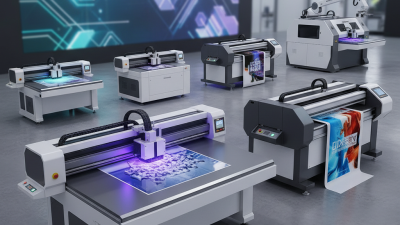
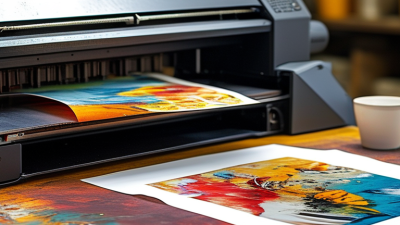
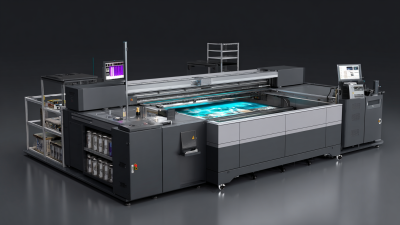
Why Choose a UV Machine for Printing? The answer begins with control, not convenience. A Uv Machine For Printing cures ink instantly with ultraviolet light. This process supports sharp images on paper, plastic, glass, wood, metal, and coated materials. It also reduces waiting time between printing and finishing. That matters in short-run packaging, customized signs, labels, and promotional products.
Smithers’ industry research identifies digital print as a continuing growth area, driven by personalization, shorter runs, and faster production cycles. Its reports also emphasize workflow efficiency and substrate flexibility. MarketsandMarkets projects strong expansion in the UV curing systems market, supported by industrial printing and manufacturing applications. Exact forecasts vary. That is worth remembering. Market reports are useful indicators, not guarantees.
Dr. Sean Smyth, a digital-print analyst associated with Smithers, explains the practical value clearly: “UV printing succeeds when ink, substrate, and workflow are treated as one system.” This principle should guide equipment selection. A powerful lamp cannot fix poor ink adhesion, inaccurate color profiles, or weak operator training. The best Uv Machine For Printing combines reliable curing, stable ink delivery, precise registration, and manageable maintenance.
Real experience still matters. Operators should test actual substrates before purchase. They should inspect gloss, adhesion, color consistency, odor, and scratch resistance. Some machines promise impressive speed but perform less effectively on textured materials. That gap deserves honest attention. Choosing UV technology is not simply choosing faster printing. It is choosing a controlled production method that must match the business, materials, and finishing process.
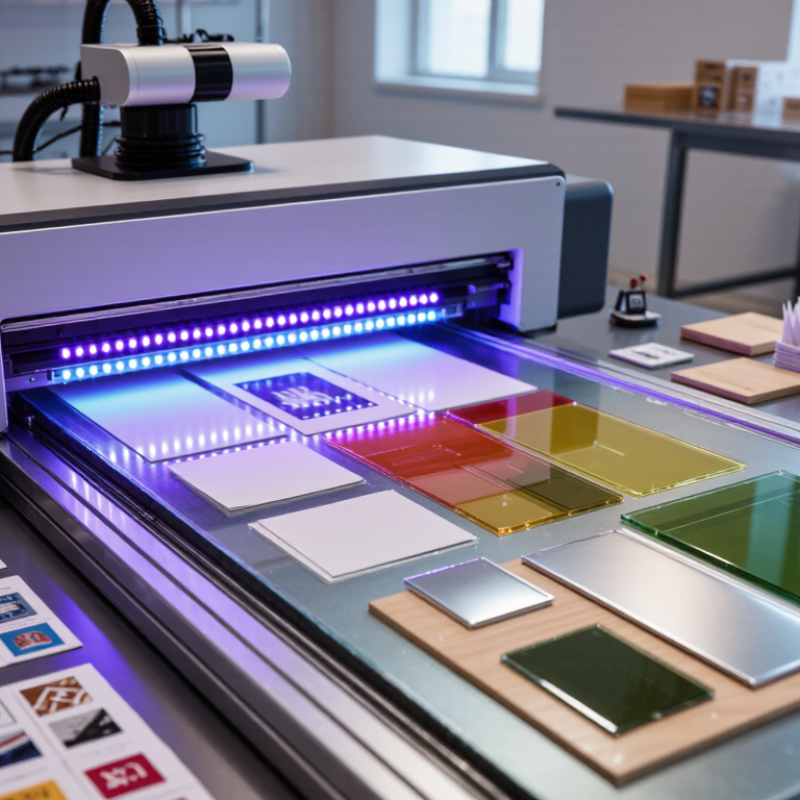
UV printing uses ultraviolet light to cure ink almost instantly after it reaches the surface. A UV machine typically moves a substrate beneath printheads, which release tiny droplets of ink through precise nozzles. UV LED lamps then activate photoinitiators inside the ink. The liquid film hardens within seconds. It does not mainly absorb into paper, so images can appear sharp on acrylic, glass, wood, metal, and coated boards.
The process is fast, but it is not foolproof. Surface energy, dust, moisture, and handling can affect adhesion. A practical operator should wipe the material, confirm its coating, and test a small area first. Some plastics still need primer or flame treatment. That step is easy to overlook. Poor curing may leave a tacky surface, while excessive lamp exposure can distort color or reduce flexibility.
Industry data supports growing interest in this technology. Smithers’ The Future of Digital Print for Packaging to 2028 reports continued expansion in digital packaging print, driven by shorter runs and variable graphics. RadTech’s UV and EB technology reports also describe UV curing as a lower-emission alternative to many solvent-based processes, because curing happens without evaporating large solvent volumes. These advantages matter in workshops producing signs, labels, décor panels, and prototypes. Still, energy use, ink handling, ventilation, and worker training require careful control. Speed alone is not enough.
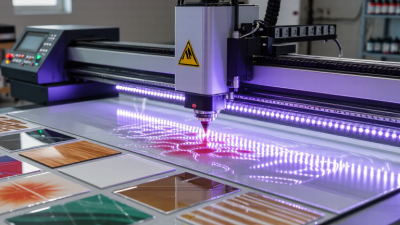
UV machines produce sharp, durable prints at impressive speed. Their inks cure immediately under ultraviolet light. There is no long drying rack beside the printer. A freshly printed panel can often move directly to cutting, mounting, or delivery.
Industry data supports this workflow. Smithers’ digital print market analysis identifies faster turnaround as a major driver of digital production growth. Grand View Research also projects strong growth for the UV printing market through the decade, with demand rising across signage, packaging, and customized products. UV curing uses high-intensity light to solidify ink on the surface. This helps preserve fine text, solid colors, and small graphic details. The result feels crisp, even on coated materials.
Durability is practical, not just impressive. Properly cured UV ink can resist scuffing, moisture, and ordinary handling better than many air-dried alternatives. The United States Environmental Protection Agency describes UV-curable inks as low-VOC or near-zero-VOC systems because they contain little solvent. That can improve workplace conditions when ventilation and curing controls remain appropriate. Still, no machine is magic. Poor calibration, dusty substrates, or excessive ink can weaken adhesion. In my experience, a quick adhesion check and careful substrate testing prevent expensive reprints. The first print may look perfect. It still deserves testing.
UV printing works on many flat or shaped surfaces, including acrylic signs, glass panels, coated metal, wood, and selected plastics. It suits short-run displays, product labels, awards, and customized panels. A cured image can show crisp text and saturated color, even on a dark surface with a white-ink layer. The surface still matters. Dust, oils, texture, or low surface energy can weaken adhesion, so test the actual material before production.
Smithers’ report, The Future of Digital Printing to 2032, estimates that digital-printing value reached $136.7 billion in 2022 and could grow to $230.5 billion by 2032. This broad market figure is not UV-specific, but it reflects rising demand for varied, shorter print runs. UV is useful when conventional paper-only workflows do not fit. It can print directly onto rigid items, though curved objects may need a jig and careful alignment. Some plastics need surface treatment. That part is easy to underestimate.
Tips: Print a small sample first. Check adhesion after curing, then inspect fine text and edges under normal lighting. Keep a record of material, pretreatment, and curing settings; results can vary between batches.
When comparing a UV machine, start with the work it must handle: flat panels, curved objects, or mixed materials. Check the maximum print area, object height, and positioning method against real products, not idealized samples. Resolution matters, but so do drop size and pass speed. Ask for a test print using your own artwork and substrate. Small text on a coated panel can look crisp, while the same settings may struggle on textured plastic.
Also compare curing consistency, ink adhesion, and maintenance access. Look for clear guidance on lamp life, cleaning intervals, replacement parts, and expected service response. Grand View Research estimated the global UV-cured inks market at about US$1.7 billion in 2023, with growth projected near 9% annually through 2030. This points to expanding use, not guaranteed savings from any one machine. A spec sheet can still mislead.
Calculate usable output per hour, including loading, alignment, and routine cleaning. Check whether the included software supports your file workflow and color controls. Ask suppliers to document test conditions, such as material, print mode, and curing time. Then compare results on the surfaces you actually sell. That test takes time. It can expose weak adhesion or uneven curing before purchase. I would also budget for ventilation and operator training; these costs are easy to overlook, and estimates may need revision after a production trial.
| Comparison Feature | UV Flatbed Printer | UV Roll-to-Roll Printer | UV Hybrid Printer |
|---|---|---|---|
| Best suited to | Rigid sheets and objects that can be placed on the print bed. | Flexible media supplied from rolls. | Shops that need to print both rigid sheets and flexible roll media. |
| Common materials | Acrylic, PVC sheet, wood, coated metal, glass, and other compatible flat substrates. Surface preparation or a primer may be needed for some materials. | Vinyl, banner material, film, wallpaper, and other compatible flexible media. | Compatible rigid boards and flexible media; check the machine’s approved material list for each application. |
| Media handling | A vacuum table or other hold-down system helps keep flat materials in position. Verify bed size and loading method. | Roll-to-roll feeding and take-up manage continuous media. Check supported roll width, diameter, and weight. | Uses a flatbed-style setup for rigid work and a roll-feeding system for flexible media. Changeovers may take time. |
| Object thickness and shape | Can print on many flat, rigid items within the machine’s clearance and bed limits. Curved or uneven objects may require a jig. | Designed primarily for media that can feed through the printer; it is not intended for thick, rigid objects. | Can handle suitable rigid items and roll media, but thickness and object clearance depend on the model. |
| Typical applications | Signs, display panels, décor, packaging prototypes, and personalized rigid products. | Banners, decals, vehicle graphics, wall coverings, and other roll-based graphics. | Mixed production of signage, displays, and graphics using both sheet and roll materials. |
| White ink and clear varnish | Useful for printing on dark or transparent substrates; clear varnish can add gloss or texture when supported. | Useful for white underlays or spot effects on selected media when the printer is configured for these inks. | Availability depends on the printer’s ink configuration and software; confirm supported layers and finishing effects. |
| Curing and handling | UV light cures ink during printing, so prints are generally ready for handling shortly after output. Full adhesion still depends on the material and ink system. | UV light cures ink during printing. Confirm that the curing system suits the media and intended production speed. | UV curing is used in both operating modes; test each material and print mode before production. |
| Throughput considerations | Output depends on print area, resolution, pass count, ink coverage, and loading time between sheets or objects. | Output depends on media width, print mode, pass count, and roll handling. Continuous jobs can reduce sheet-loading interruptions. | Capacity depends on the selected mode and changeover time. Compare real production samples, not only advertised maximum speed. |
| Space and workflow | Requires room for the printer, sheet loading, and safe access around the bed. | Requires room for the printer, roll loading, take-up, and media movement. | May need space for both sheet and roll workflows, plus storage for varied media. |
| Key checks before purchase | Bed dimensions, maximum object thickness, vacuum zones, loading access, white-ink options, and sample adhesion. | Maximum media width, roll specifications, take-up system, edge control, white-ink options, and media compatibility. | Rigid and roll capacity, mode-change process, maximum thickness, supported media range, and performance in both modes. |
Note: Capabilities vary by model, ink set, software, and substrate. Confirm specifications with the supplier and test the actual materials, print quality, adhesion, and production speed required for your work.
A UV printer cures ink with ultraviolet light, so reliable results depend on more than pressing “print.” Keep the work area clean and stable, and confirm the material, print settings, and curing requirements before a job. A test print on a small sample can reveal poor adhesion or uneven curing before valuable material is used. Small details matter. Never assume that a surface is ready just because it looks clean.
Tips: Check the printer’s manual for approved cleaning methods and maintenance intervals. Switch off and isolate power before servicing parts where the manual requires it. Clean dust and ink residue with suitable materials, not improvised solvents. A quick wipe is not always enough; that assumption deserves a second look.
UV light and uncured ink require care. Keep covers and safety interlocks in place, and never look directly at an exposed UV source. Follow the equipment instructions for ventilation and protective equipment, and avoid skin contact with uncured ink. If ink gets on skin, follow its safety data sheet rather than guessing. Record cleaning dates, nozzle checks, and curing issues; those notes can help identify recurring problems. Stop if a guard is damaged or curing seems inconsistent, and get qualified service instead of bypassing a safety feature.