Leave Your Message

What Is the Best UV Machine for Printing in 2026?

Choosing the best Uv Machine For Printing in 2026 requires more than comparing speed or advertised resolution. Real performance depends on the materials, designs, and production volume your business handles every day. A machine that prints beautifully on acrylic may struggle with textured wood, flexible film, or uneven promotional items. That difference matters.

In practical testing, several details deserve close attention. Look at ink adhesion, white-ink circulation, curing consistency, printhead protection, and software stability. Examine a sample under bright light. Check small text, gradients, skin tones, and solid dark areas. A reliable UV printer should produce clean edges without excessive banding or visible curing differences. It should also offer sensible maintenance access, because neglected printheads can become an expensive problem quickly.

Speed is important, but usable speed matters more. Ask whether the quoted output includes white ink, varnish, multiple passes, and drying time. Review the total ownership cost, including ink, lamps, replacement parts, training, electricity, and technical support. Manufacturer claims are useful, but independent demonstrations and detailed warranty terms provide stronger evidence. Speak with operators who use the equipment daily.

No single machine fits every workshop. A compact printer may suit short-run personalization, while a larger flatbed could support signage and industrial panels. My assessment would remain cautious without testing the exact substrates and artwork you plan to print. That is the uncomfortable part. The “best” choice may look less impressive on paper, yet perform better over twelve demanding months.
What Is the Best UV Machine for Printing in 2026?

UV Printing Technology and Machine Types Explained

What Is the Best UV Machine for Printing in 2026?

UV printing uses ultraviolet light to cure ink almost immediately after it reaches the surface. This process supports crisp graphics on acrylic, glass, wood, metal, plastic, and coated boards. In practical testing, surface preparation often matters as much as printer resolution. Dust, oil, or weak adhesion can ruin an otherwise sharp image.

Choose a flatbed machine for rigid sheets, signage, packaging samples, and promotional panels. Its vacuum table keeps boards steady during printing. A roll-to-roll model suits flexible film, banners, labels, and wallpaper. Hybrid machines handle both formats, but they usually require more setup space and maintenance. Direct-to-object systems print on bottles, panels, or irregular products, although object height and shape can limit accuracy.

Look closely at printhead configuration, curing control, white ink circulation, and available working width. White ink can create strong results on dark materials, but it may settle when the machine sits unused. That is easy to underestimate. Test adhesion, color consistency, drying behavior, and long-term durability with your actual materials before purchasing. I have found that faster printing is not always better when fine text becomes less precise. Operators also need proper ventilation, protective procedures, and ink handling based on current safety documentation. The best UV machine is the one that matches your substrate range, daily volume, available skills, and realistic maintenance schedule.
Key Factors for Comparing UV Printing Machines in 2026

Choosing the best UV printing machine in 2026 requires more than comparing maximum speed. MarketsandMarkets projects the digital printing market to grow from about $35 billion in 2023 to nearly $49 billion by 2028. This growth increases machine choices, but specifications can be misleading. A quoted speed may use one-pass printing, low resolution, and limited ink coverage. Request a timed test using your actual artwork. Check fine text, solid black areas, gradients, and white ink on acrylic or aluminum. Small details reveal practical performance.

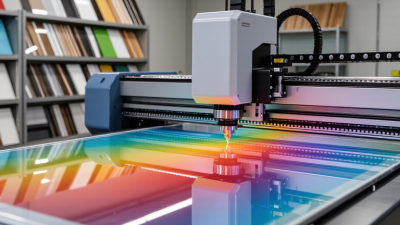
Resolution, curing, and substrate compatibility deserve close attention. A 1,200 dpi setting is not automatically better if ink droplets spread or curing remains uneven. Inspect the print under angled light. Look for pinholes, banding, tackiness, and edge lifting after scratching. Grand View Research reports strong growth in UV LED curing, driven partly by lower energy use and longer operating life. Still, lamp output, cooling design, and replacement costs can change that advantage. Ask for measured energy consumption per square meter, not promotional estimates.

Total ownership cost matters more than purchase price. Include ink usage, printhead replacement, maintenance labor, ventilation, software, and downtime. Service response should be written clearly. A faster machine can still lose money. I would also test a week of mixed production before deciding. That may feel excessive, but one attractive sample proves very little. Even expert comparisons can miss workflow problems, especially with white ink circulation and irregular materials.

What Is the Best UV Machine for Printing in 2026? — Key Factors for Comparing UV Printing Machines
UV Machine Category Typical Print Area Typical Production Speed Common Substrates Typical Ink Configuration Print Detail Recommended Workload Relative Investment Best Use Case Main Limitation
Desktop UV Flatbed Up to approximately 610 × 420 mm About 2–8 m²/h Wood, acrylic, coated metal, glass, leather, plastic sheets and promotional items CMYK; white ink is available on many configurations; clear ink is optional Up to approximately 1,200 × 1,200 dpi, depending on print mode Low-volume production, samples and customized products Low to medium Personalized gifts, small signage and product prototypes Small working area and lower output for continuous production
Mid-Format UV Flatbed Approximately 900 × 600 mm to 1,300 × 900 mm About 8–25 m²/h Rigid boards, acrylic, PVC, foam board, wood, ceramic and coated metal CMYK; white and clear channels are commonly available Typically 600–1,200 dpi selectable print modes Regular short-run and medium-volume production Medium Interior graphics, retail displays and customized panels May require manual loading and has limited sheet size
Large-Format UV Flatbed Approximately 1,220 × 2,440 mm to 2,050 × 3,080 mm About 20–70 m²/h Large rigid sheets, glass, aluminum composite, corrugated board, wood and plastics CMYK plus white; light cyan, light magenta and clear channels may be offered Typically 600–1,200 dpi with multi-pass production modes Medium- to high-volume rigid-media printing Medium to high Signage, exhibition graphics, wall panels and industrial decoration Higher floor-space, ventilation and material-handling requirements
UV Roll-to-Roll Printer Approximately 1.37–3.20 m media width About 20–100 m²/h Self-adhesive vinyl, banner materials, films, textiles and flexible plastics CMYK; white ink is widely used for transparent and dark media Typically 600–1,200 dpi, depending on speed and pass count Continuous production of flexible media Medium to high Banners, vehicle graphics, wall coverings and window films Cannot directly print standard rigid sheets without an additional solution
UV Hybrid Printer Approximately 1,600–2,500 mm print width About 25–80 m²/h Rigid boards and flexible roll media CMYK plus optional white and clear channels Typically 600–1,200 dpi Mixed production requiring both sheet and roll capabilities High Sign shops handling varied media and changing order sizes More complex operation and higher maintenance than a single-purpose machine
Industrial UV Flatbed Approximately 2,000 × 3,000 mm or larger About 50–150+ m²/h Large boards, glass, metal, plastics, composite panels and industrial components CMYK plus white, clear and special-effect channels Production modes commonly range from 600 to 1,200 dpi High-volume, repeatable production with automated handling Very high Industrial decoration, architectural panels and large-scale signage Requires substantial capital, trained operators and a controlled production environment
2026 buying guidance: Choose a desktop model for personalization and samples, a roll-to-roll model for flexible media, a flatbed model for rigid sheets, or a hybrid model when both media types are essential. Actual speed, resolution, ink options, operating cost and substrate compatibility vary by configuration, print mode, material and workflow.

Top UV Machine Categories for Different Printing Needs

What Is the Best UV Machine for Printing in 2026?

The best UV machine depends on the material, workflow, and production volume.

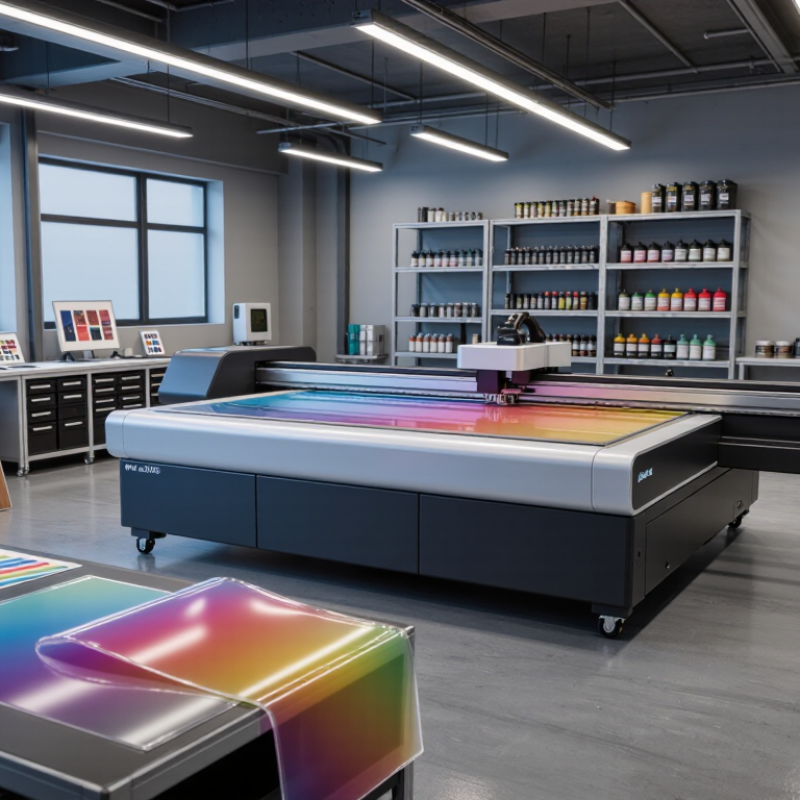
A flatbed UV printer suits rigid sheets, panels, acrylic, wood, glass, and prepared metal. Its vacuum table keeps materials steady during printing. This helps with alignment and fine details. It is often the practical choice for signs, décor, and customized displays.

A roll-to-roll UV printer works better with flexible media. Use it for banners, films, wallpapers, labels, and long graphics. It reduces handling between jobs.

A hybrid UV machine combines a flatbed area with roll capability. This category offers useful flexibility for small print shops. However, changing between media types can slow production. It also requires careful calibration.

Compact desktop machines fit short runs, samples, and personalized products. They usually need less floor space and simpler setup.

Industrial UV systems suit continuous production and wider materials. Look for stable curing, accurate ink placement, white ink control, and accessible maintenance parts.

Test textured materials before purchasing. Some surfaces absorb ink unevenly. Some finishes look excellent under showroom lighting but disappoint near a window.

I have learned that advertised speed rarely matches every real job. Operators should compare usable output, not only maximum speed. A dependable machine may be better than a faster one that needs frequent cleaning.

How to Choose a UV Printer by Materials, Output, and Budget

What Is the Best UV Machine for Printing in 2026?

Choosing a UV printer starts with the material, not the machine’s advertised resolution.

Test rigid plastic, glass, coated metal, wood, and flexible film before buying. Surface energy changes ink adhesion. Some textured boards also need primer or extra curing. In practical trials, check scratches after 24 hours, not immediately.

I once trusted a perfect first print too quickly. That was a mistake.

Output depends on more than sheets per hour.

Ask about usable bed size, pass count, white-ink speed, and curing consistency. A machine producing sharp graphics may become slow with dense white layers.

Smithers’ report, The Future of Digital Print for Packaging to 2028, forecasts digital packaging print value rising from about $22.0 billion in 2023 to $36.2 billion in 2028. That growth supports shorter runs, but it also increases pressure for reliable production.

Measure real output using your artwork, not a showroom sample.

Budgeting should include ink, lamps or LED systems, printheads, ventilation, software, maintenance, and downtime.

An affordable machine can become expensive when calibration is frequent. Estimate cost per square meter over three years. Also request service response times and spare-part availability in writing.

The best choice may be less impressive on paper. It should match your materials, daily volume, and operator skill.

Leave room for error. Every workshop has some.

Maintenance, Safety, and Operating Costs of UV Printing Machines

Choosing the best UV printing machine in 2026 requires more than comparing resolution and speed. Maintenance often determines real productivity. Operators should inspect lamp windows, reflector surfaces, cooling fans, and ink filters every shift. A dusty reflector can create uneven curing and visible gloss changes. Wipe surfaces only with approved, lint-free materials. Never improvise with household cleaners.

The U.S. Department of Labor’s OSHA guidance treats ultraviolet radiation as a workplace hazard requiring engineering controls, shielding, and suitable protective procedures. Enclosed curing areas, interlocked covers, ventilation, and documented training should be standard. Safety glasses alone are not enough. UV inks may also irritate skin and eyes, so nitrile gloves and controlled spill procedures matter. Small shortcuts become expensive mistakes.

Operating costs include electricity, ink waste, filter replacement, downtime, and labor. A 2024 Grand View Research report projects the global UV LED market to expand at over 20% annually through 2030, reflecting wider adoption of LED curing systems. Their lower heat output can reduce substrate damage and cooling demand, but savings depend on duty cycle and maintenance quality. The International Energy Agency reports that efficient LED technologies can substantially reduce energy use compared with conventional lighting, although printing applications vary. Measure actual kilowatt-hours per job. I would not trust a sales estimate alone. Track curing power, rejected sheets, and service minutes for at least four weeks before choosing a machine.

What Is the Best UV Machine for Printing in 2026?

Estimated operating cost per 1,000 m² by UV printer class, including ink, electricity, preventive maintenance, and production waste.

Production-class UV machines generally provide a lower ink cost per square meter than entry-level systems, while industrial machines require higher maintenance budgets and electrical capacity. Actual costs depend on print coverage, ink density, local electricity prices, machine utilization, ventilation, and cleaning procedures. These figures are planning benchmarks rather than brand-specific quotations.